Invite and collaborate with your team
Kstonebase is built for teams. Group related products under a workspace, then invite members so everyone — and their agents — works from the same source of truth.
Create a workspace
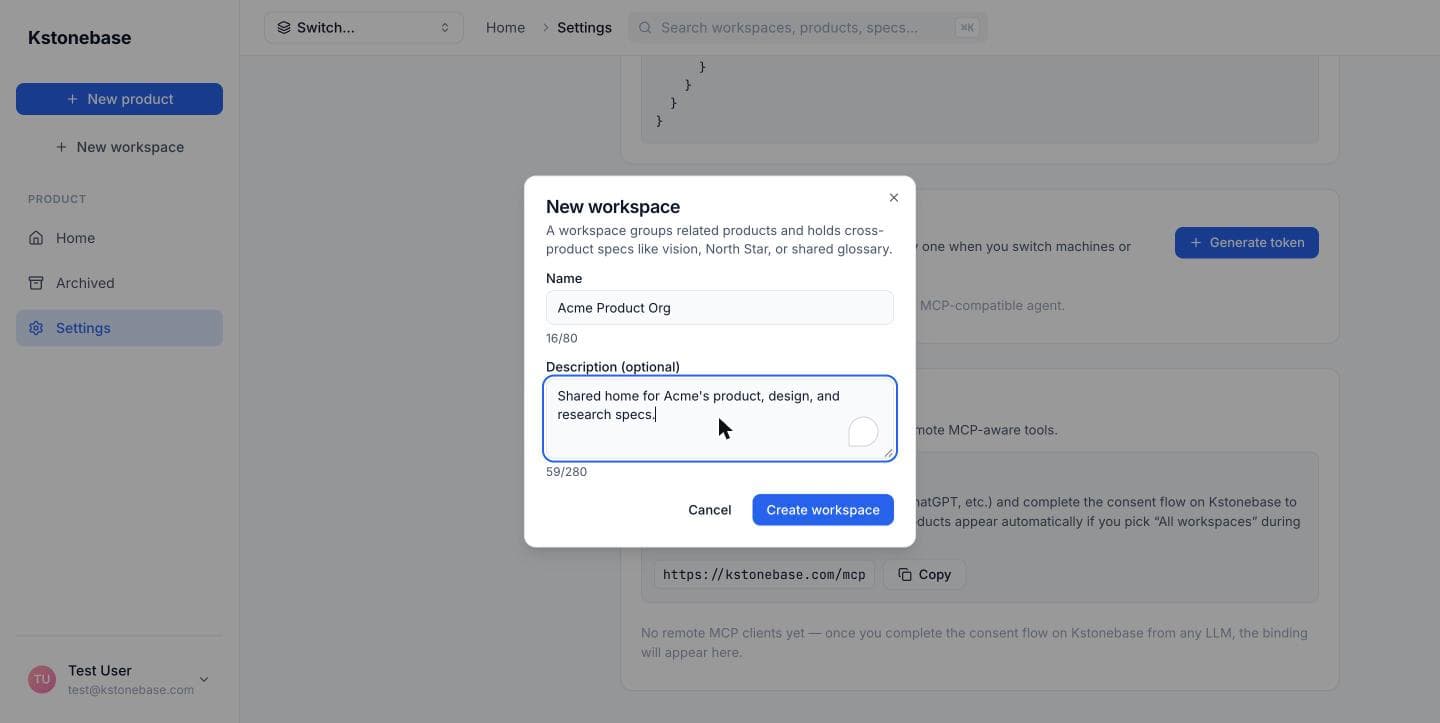
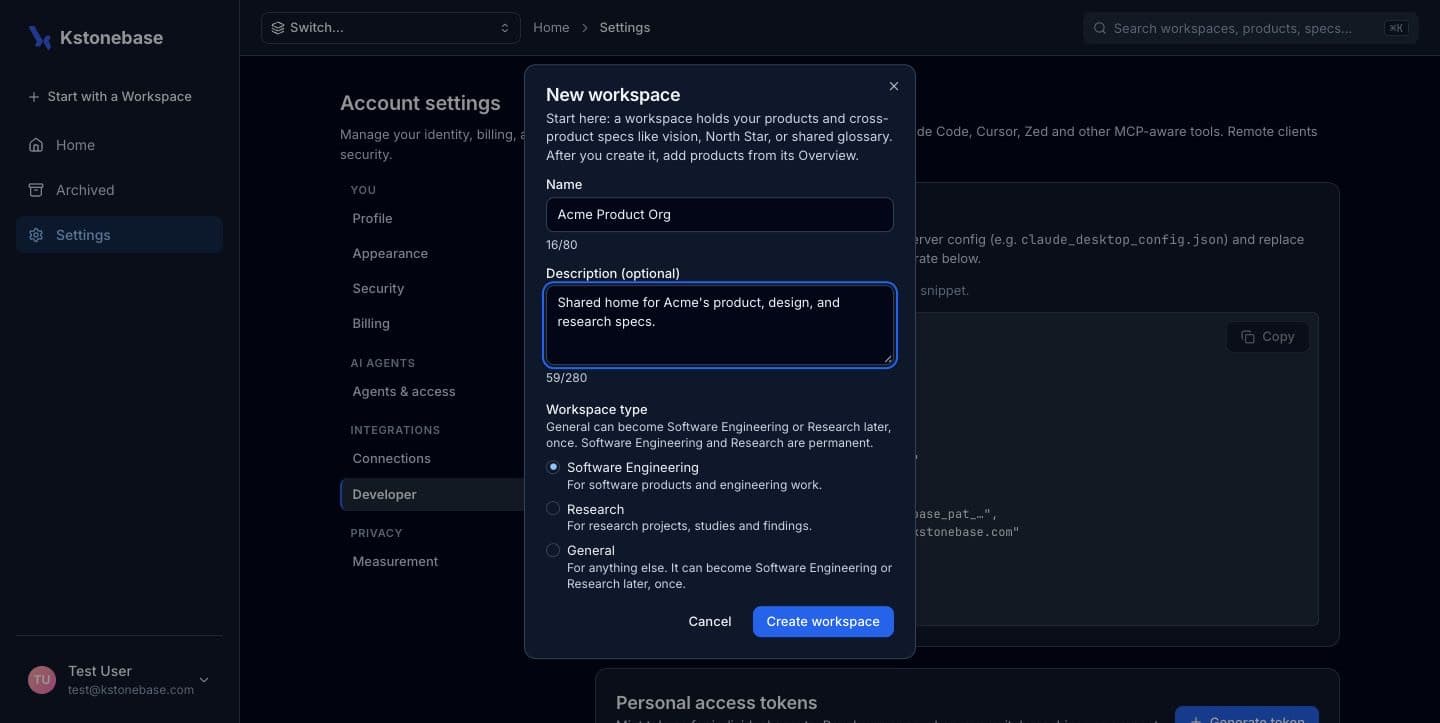
A workspace groups related products under one umbrella and holds cross-product specs like vision and glossary. Click New workspace and name it.
Open the Members tab
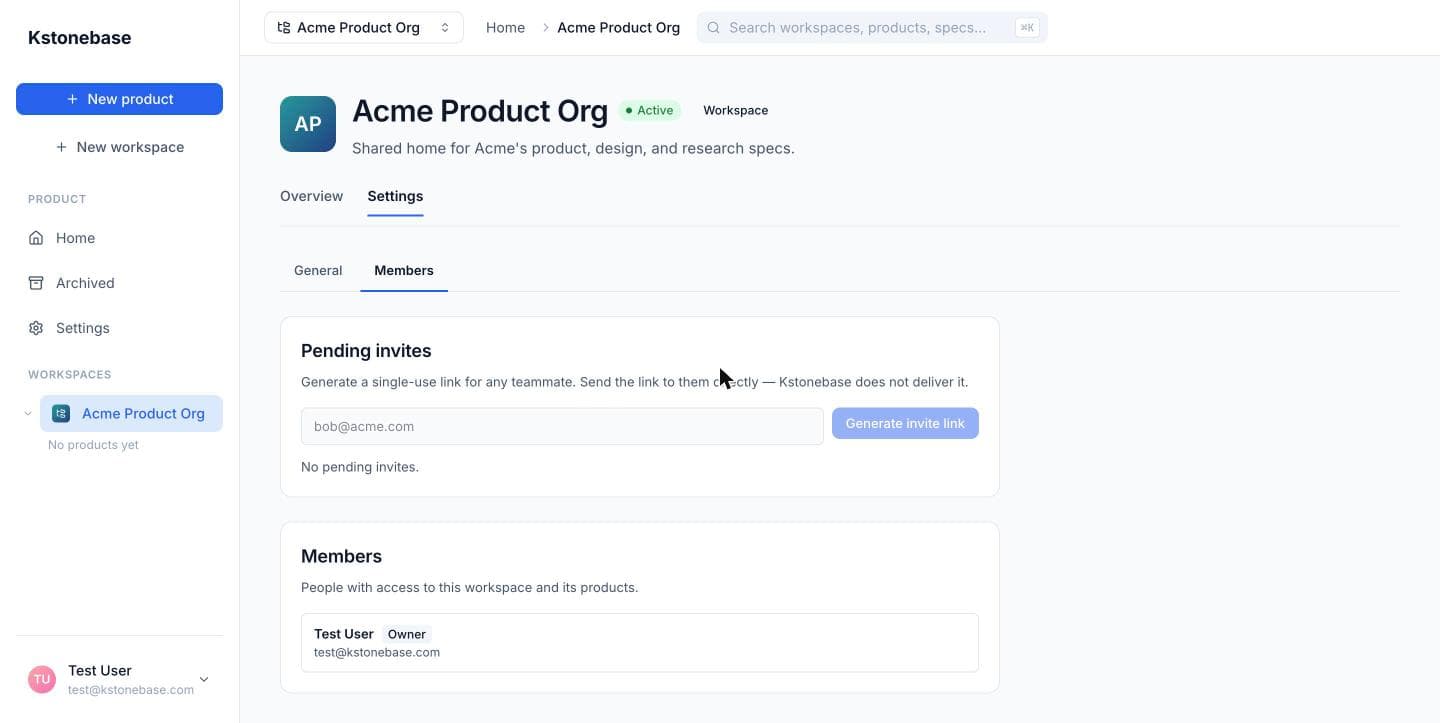
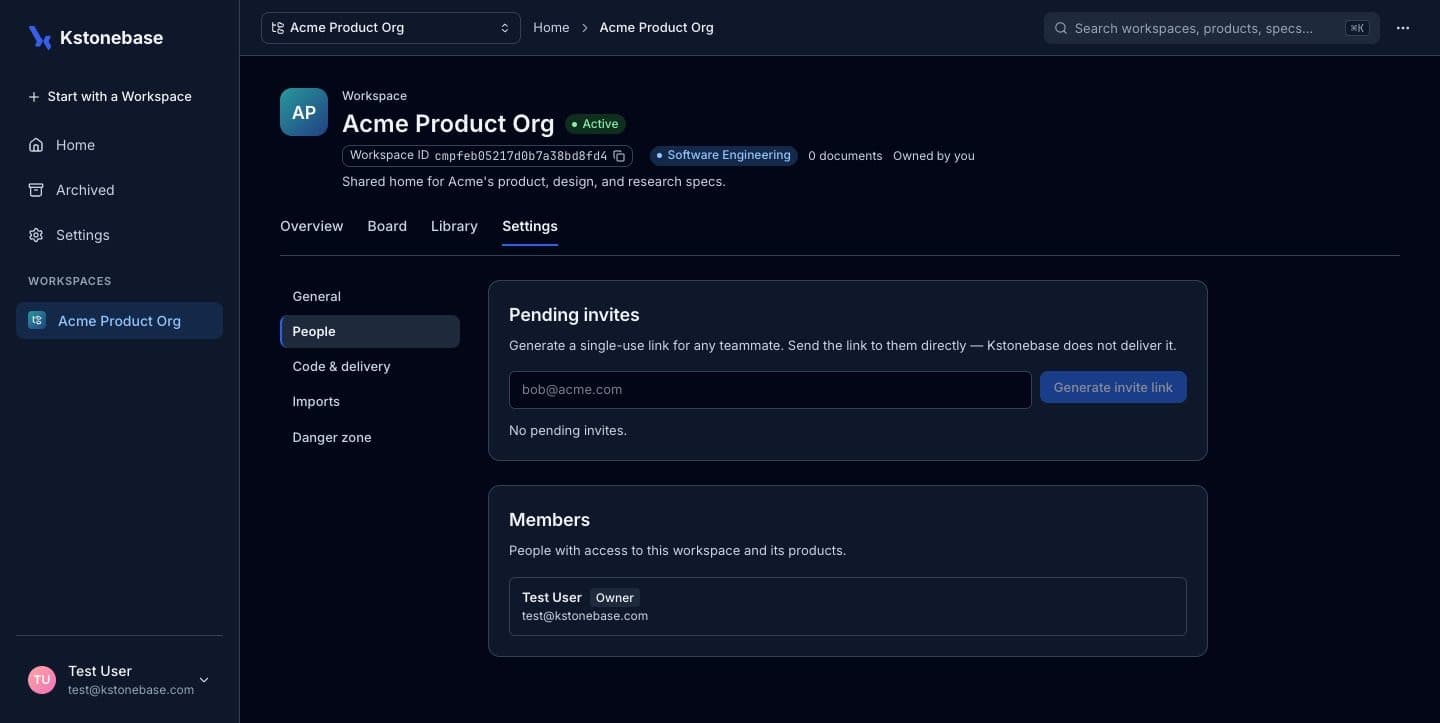
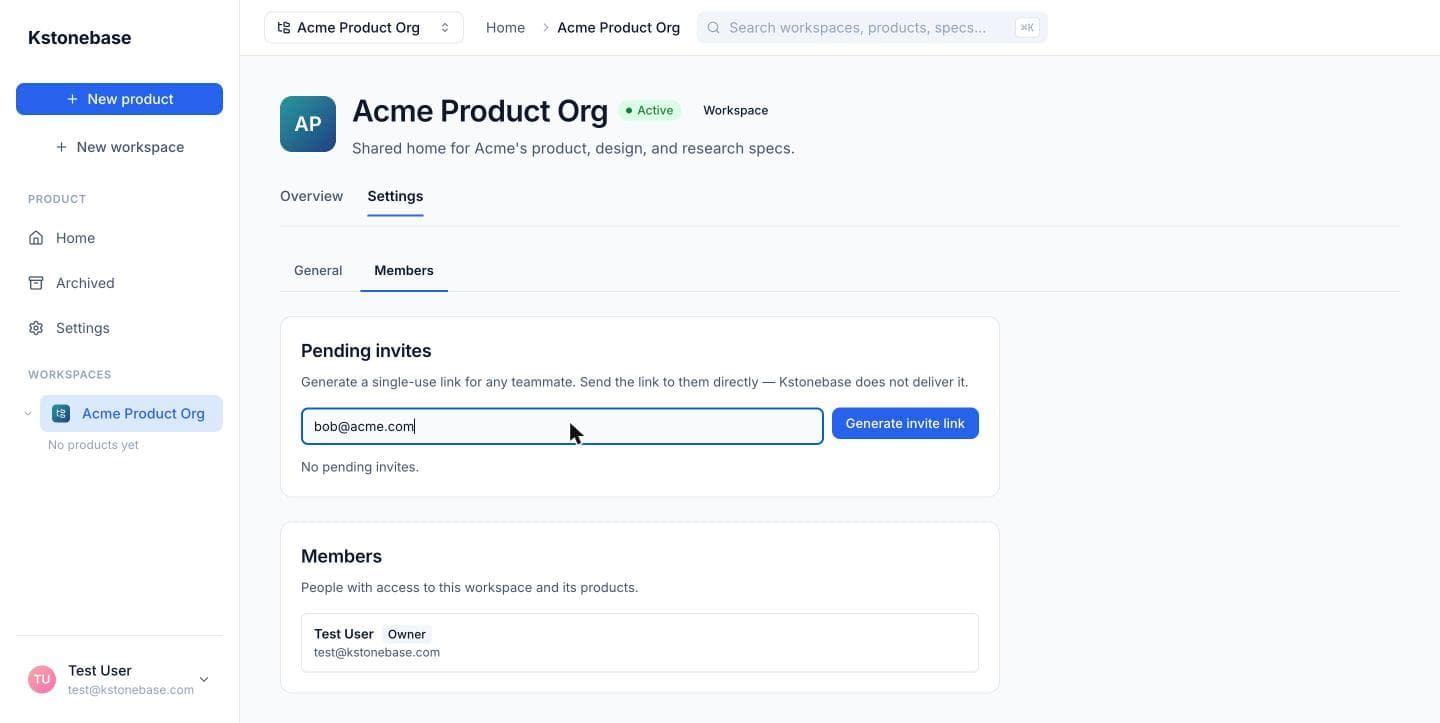
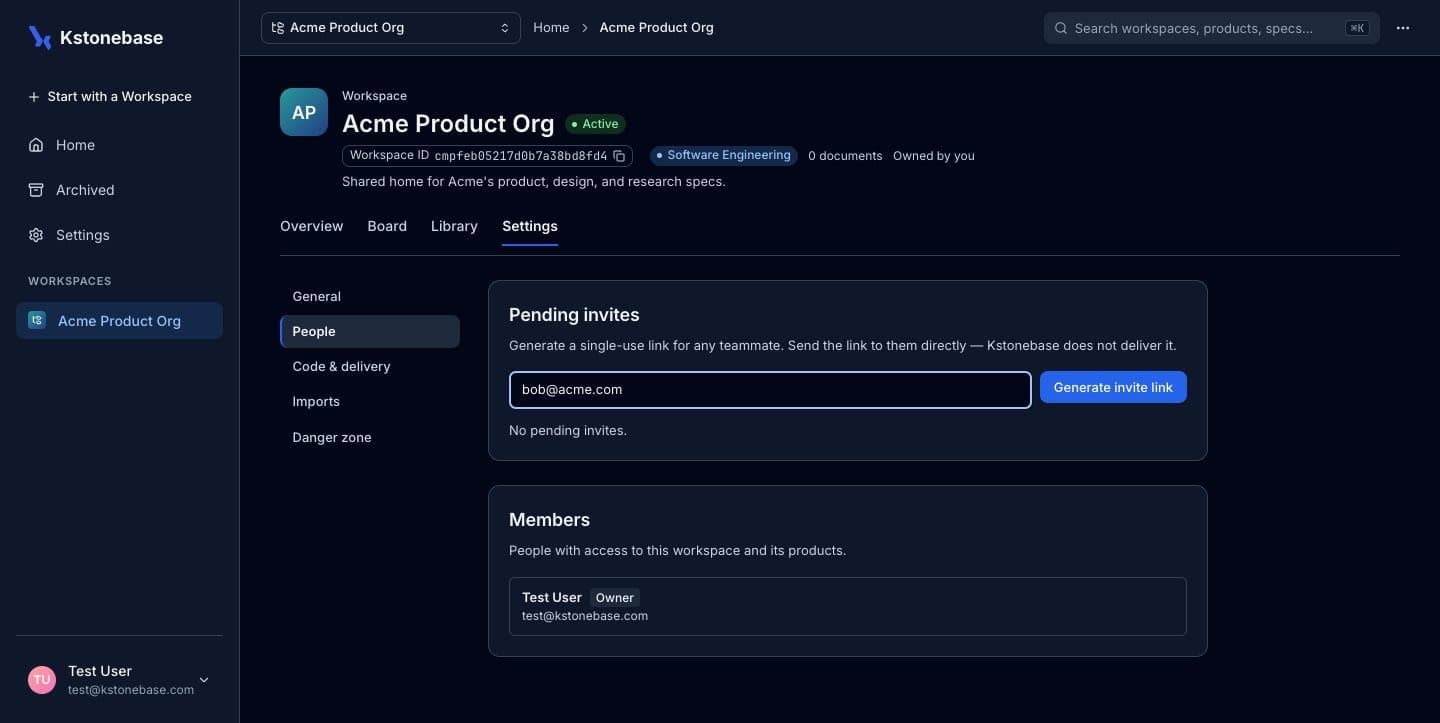
In the workspace, go to Settings → Members. This is where you manage Pending invites and the current Members — everyone with access to the workspace and its products.
Invite a teammate
Under Pending invites, enter your teammate's email and click Generate invite link. Kstonebase creates a single-use link — share it with them directly (Kstonebase doesn't email it for you).
They join and collaborate
When your teammate opens the link and signs in, they appear in the Members list. Members read and contribute to the workspace's specs and move documents through the review flow alongside you — while you keep ownership.